The little family
 Find That File
You remember the file.
Just not where it went.
A little file finder for your Mac. Start with a few words from the name. Find the match, see its folder, and get on with your day.
 Built for Mac · macOS requirements to be confirmed


A little look inside.

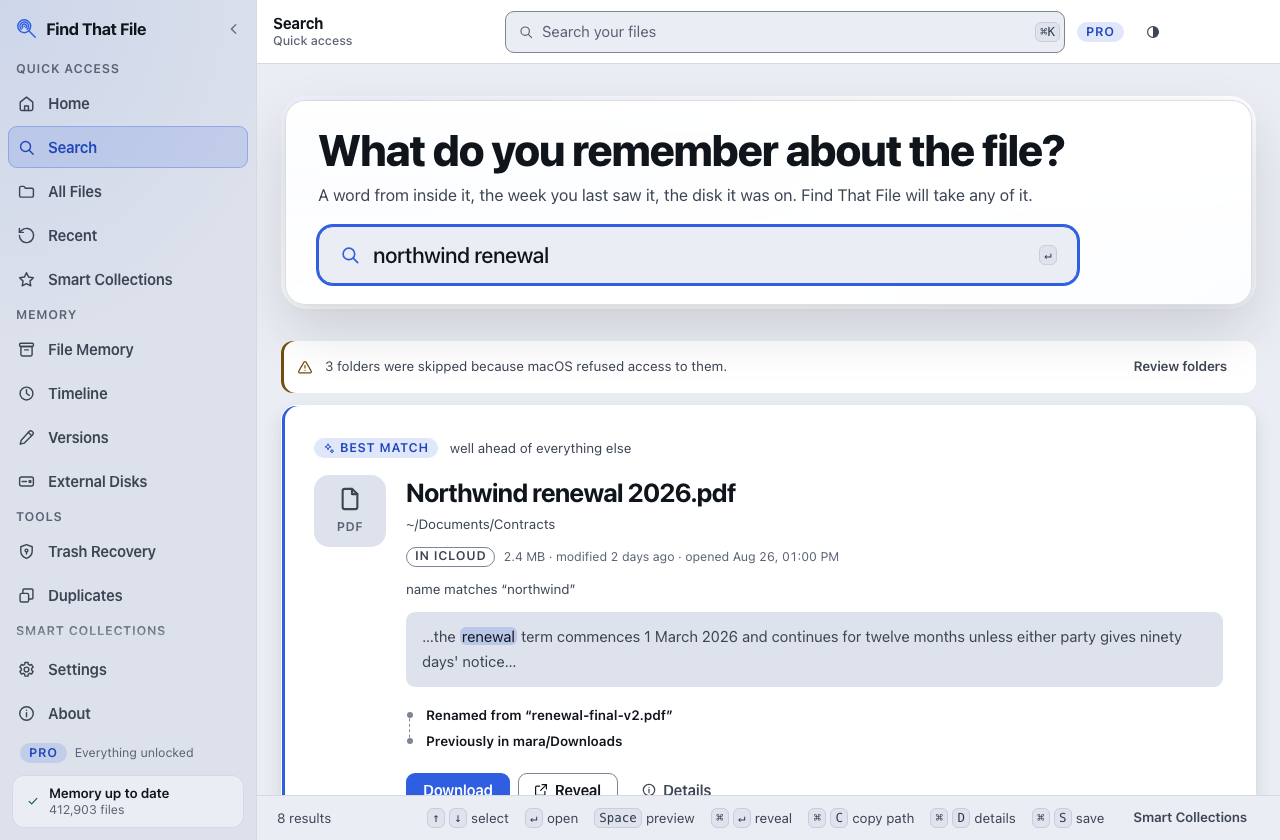
The right file. Its folder. Right there.Swipe the result to read the details →
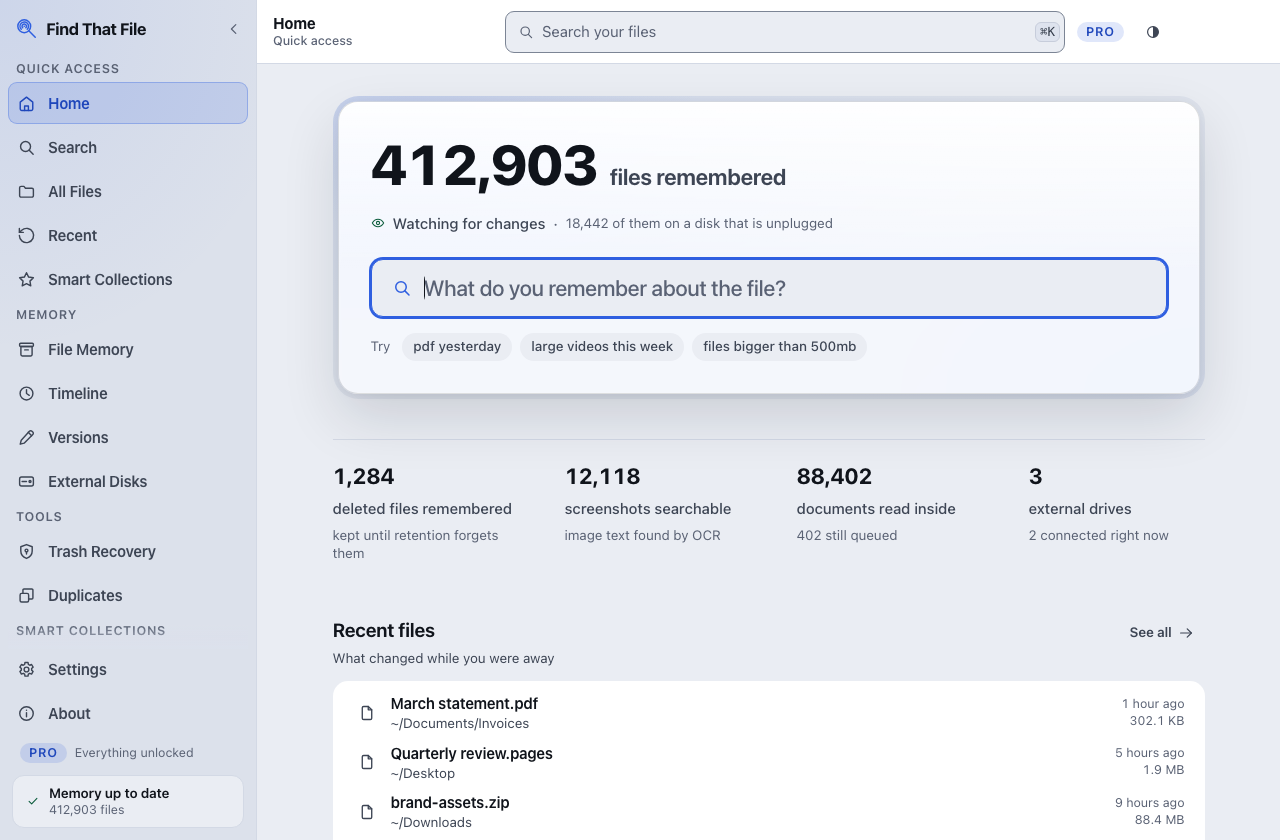
Pick up where you left off.Swipe to see the details →
A little closer
From “somewhere”
to right there.
A name, a result, a way back to your work.
Interactive website example · Illustrative sample, no access to your files
The bit you remember is enough.
Type a filename fragment below. These three sample files stay in this page; your Mac is never searched.
 northwind-renewal.pdfDocuments / Renewals · PDF · 248 KBproposal.pagesProjects / Studio · Pages · 262 KBmeeting-notes.txtDocuments / Notes · Text · 66 KB
3 sample files
The answer includes the “where”.
Find That File shows the actual folder beside the result. You can tell the renewal apart from the similarly named thing you downloaded twice.
 Documents/Renewals/northwind-renewal.pdf
Example path · Name search against a local index, not document-content search.
Open. Reveal. Copy the path.
Choose what happens after the match. Here, try the controls to see what each action means.
Pick an action to see what happens in the app.
Find That File · For Mac
Launch price
$19.99USD · One-time purchase
Launch price planned for release. Regular $29.99. Launch pricing lasts 30 calendar days from the first production sale activation.
macOS version and hardware requirements will be confirmed with the release.
One purchase includes all updates in the current major version. Future major upgrades, such as a meaningful v2 release, may be offered as a paid upgrade.
Free includes filename search and recent files. Paid pricing does not imply that historical names, content search or deleted-file recovery are included in Free.
Product notes →Announced pricing. Checkout is closed.