
The problem
Your Mac had room, and now it does not. SpaceTrace is being built to explain what filled it and what probably caused the change.
 SpaceTrace
A minute ago there was room. Now there isn’t. See what filled your Mac, and what probably caused it.
 Built for Mac · macOS requirements to be confirmed
A saved selection, not an order. No payment or release date yet.

A little closer
See what is there. Then see what changed.
Interactive website example · Actual development UI uses sample data
See measured totals for the folders you choose. Logical size, allocated space and available disk space are different measures.
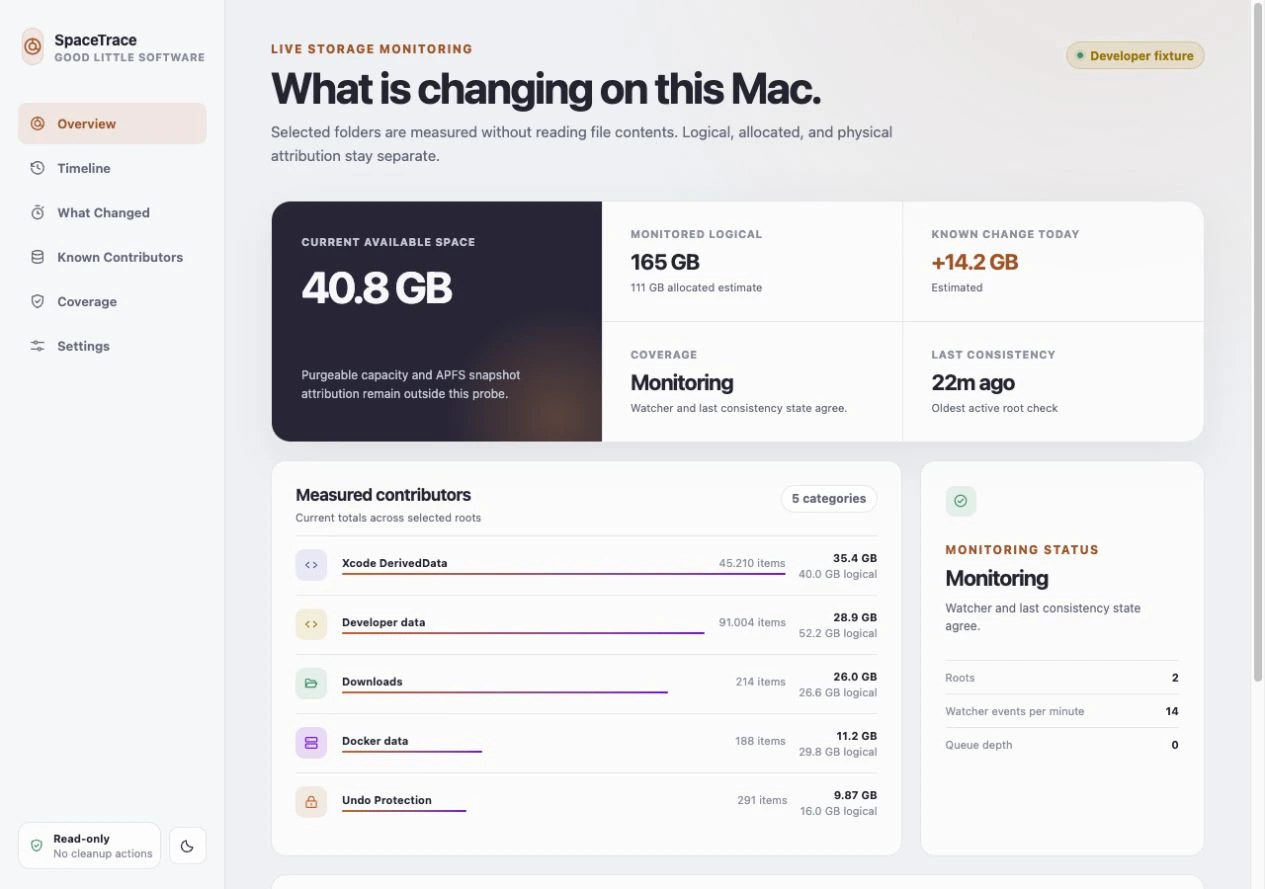 Development interface · Sample data. Scroll the image on a small screen.
Compare measured growth over time and inspect known contributors. Unmonitored space is labelled separately.
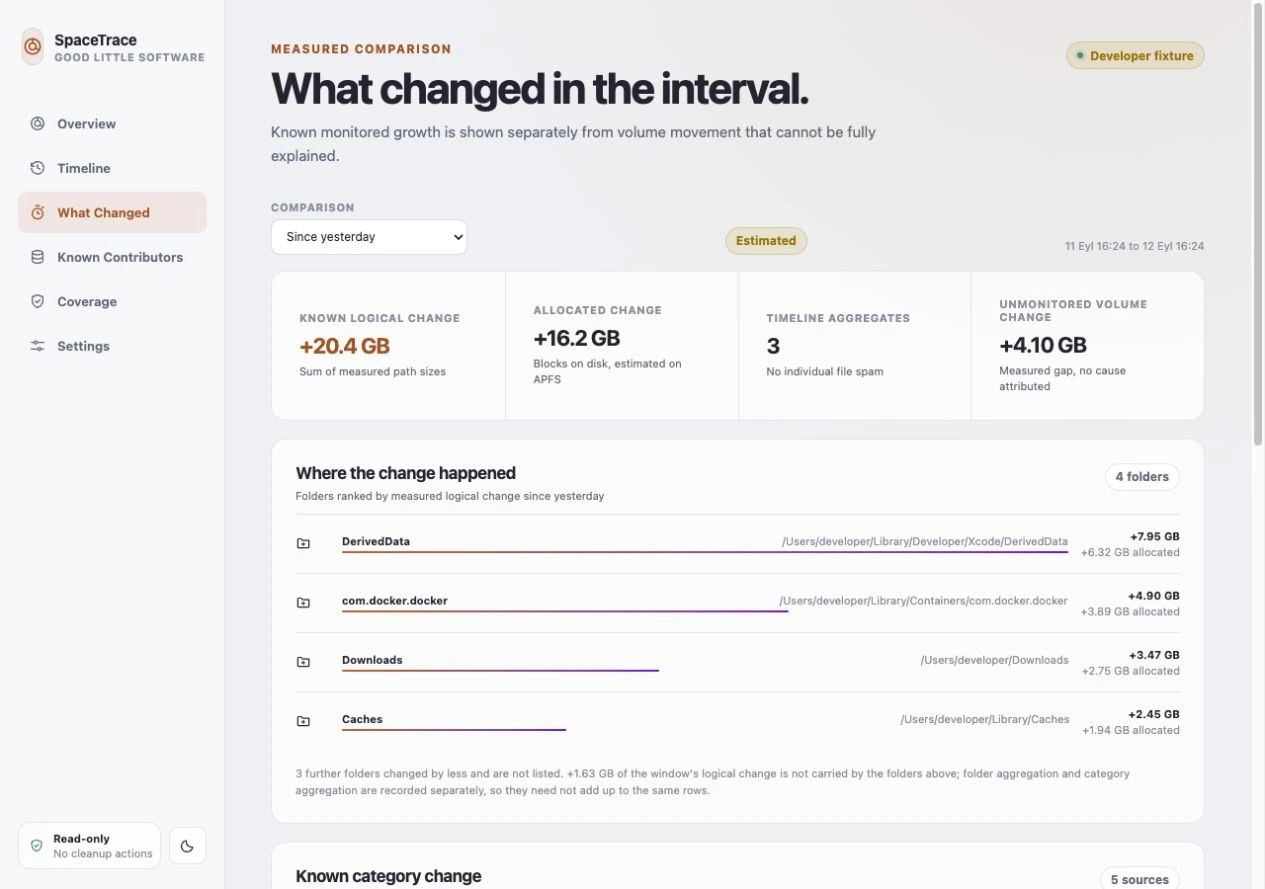 Development interface · Sample data. Scroll the image on a small screen.
SpaceTrace is read-only. It helps explain storage; you decide what to do in Finder. Measurement coverage matters.
 Selected folders
 Measured contributors
Outside the monitored folders? Shown as unmonitored, not silently explained away.
Your Mac had room, and now it does not. SpaceTrace is being built to explain what filled it and what probably caused the change.
A large item is not automatically safe to remove. The preview does not instruct you to delete system folders, application data or backups.
Exact scan coverage, permissions and supported macOS versions will be published with the app. The cartoon illustrates the problem, not a measured scan result.
SpaceTrace · For Mac
$14.99USD · One-time purchase
macOS version and hardware requirements will be confirmed with the release.
One purchase includes all updates in the current major version. Future major upgrades, such as a meaningful v2 release, may be offered as a paid upgrade.
Product notes →Announced pricing. Checkout is closed.

A small question?
You’re in the right place.
Answers from our site information. AI is not connected yet. No chat is sent to an AI provider.